Spin and Drain Cycle: A Practical DIY Guide for Homeowners
Learn how the spin and drain cycle works, how to troubleshoot common drainage issues, and follow a step-by-step plan to keep your washer draining smoothly and clothes coming out dry.


Mastering the spin and drain cycle helps prevent wet loads and odor by ensuring towels and fabrics are properly spun and drained. In this guide, you’ll learn how the cycle works, common fault signs, and safe, step-by-step checks you can perform without professional help. According to Drain Guide, understanding these steps saves time and reduces the risk of water damage.
What the spin and drain cycle does
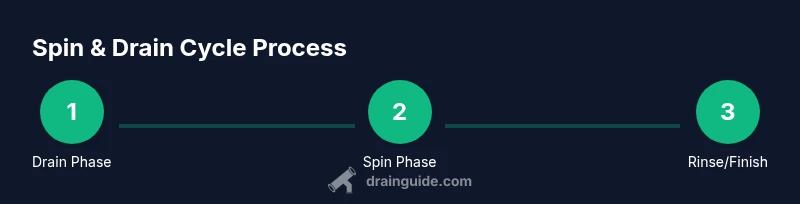
The spin and drain cycle is the core sequence that finishes a wash by removing as much water as possible from your clothes while protecting the machine from damage. The cycle pairs two closely related actions: spinning, which uses the drum's rotation to fling water out of fabrics through centrifugal force, and draining, which uses the pump to remove that extracted water from the tub. In most modern machines, the cycle is choreographed by a control board that times motor speed, pump operation, and sensor feedback from pressure and door switches. When everything works, you’ll notice drier clothes, shorter tumble-dry times, and less moisture left in the drum after a load completes. For homeowners, understanding this sequence helps diagnose issues like clothes still soggy, loud spins, or error codes that point to the drain system or belt drive. Drain Guide emphasizes that a reliable spin and drain cycle contributes to energy efficiency and longer laundry life, so keeping this phase healthy matters beyond just convenience.
Anatomy of a modern washing machine's spin and drain phases
In a typical front- or top-loading washer, the spin and drain phases involve several key components working in concert. The drive system (belt-driven or direct-drive motor) delivers high rotation speeds during spin, while the drain system uses a pump and a network of hoses to remove water. A dedicated sensor network tracks water level, motor temperature, and drum speed. A lid or door switch ensures the machine won’t spin with the lid open, and a pressure switch helps regulate fill levels before spinning starts. Drain hoses must be properly routed to a standpipe or drain to prevent backflow. Understanding how these parts interact helps you pinpoint whether a problem lies with a clogged pump, a faulty switch, or a damaged belt.
How the cycle affects different load types
Load type strongly influences spin settings. Heavier items like towels and bulky comforters demand higher spin speeds and longer durations to extract excess water. Delicate fabrics, on the other hand, require gentler spins to prevent fabric damage. Hot or heavily-soiled loads may trigger extra rinse steps that alter the timing of draining and spinning. Properly sorting clothes by fabric type and weight helps your machine optimize the cycle, reducing time in the dryer and minimizing energy use. The spin and drain cycle also interacts with water hardness and detergent choices; excessive detergent can leave residues that affect drainage efficiency. Drain Guide notes that aligning cycle parameters with fabric type improves performance and prolongs machine life.
Common issues during spin and drain and why they happen
Many spin and drain problems stem from clog-related blockages, sensor glitches, or worn mechanical parts. A clogged drain pump or filter can slow or stop draining, leaving clothes wet and increasing the chance of mold or odor. A faulty lid/door switch may shut off the spin prematurely, triggering fault codes. Worn drive belts or bearing failures reduce spin speed and cause excessive vibration or squealing. Kinks or improper routing in the drain hose can cause backflow or siphoning that interferes with draining. Electrical issues, such as a failing pressure switch or control board, can manifest as unpredictable cycle behavior or repeated error codes. Addressing these problems often involves a systematic inspection of hoses, filters, switches, and the pump.
Diagnosing problems: tests you can perform safely
Start with the basics: unplug the machine and inspect accessible hoses for kinks, clogs, or cracks. Check the drain pump inlet and the lint filter or pump screen for debris. If the machine won’t drain, gently disconnect hoses to verify water can flow out to a bucket while the pump is off. Test the lid switch by gently wiggling the switch with the door closed while observing whether the control panel allows a spin. If the dryer portion of the cycle feels weak, measure the drum speed with the back panel removed and compare it to your model’s spec. Finally, look for any error codes listed in your user manual and cross-check them with the manufacturer’s diagnostic guide. Always exercise caution with electrical components; never put hands near moving parts while plugged in.
Step-by-step: testing the spin and drain cycle on your washer
- Power down and safety prep: Unplug the unit, move it away from the wall, and pull the drain hose toward a floor drain or bucket. Verify there is no standing water where you’ll work. 2. Check the drain path: Inspect the drain hose for kinks and clear any obvious blockages from the hose end. 3. Inspect the pump and filter: Remove the access panel if needed, and check the pump inlet for lint or debris while the pump is off. 4. Test the lid/door switch: With the lid closed, try a quick spin and observe if the control panel responds or if an error code appears. 5. Run a diagnostic cycle: If your machine supports it, run a short drain-and-spin test and listen for the pump hum and drum acceleration. 6. Inspect belts and pulleys: If you have a belt-driven model, check belt tension and wear, then reassemble. 7. Re-test and document results: Run a normal cycle and verify clothes exit drier; note any codes or unusual sounds for future reference.
Maintenance practices to keep the cycle reliable
Regular maintenance reduces breakdowns and extends the life of the spin and drain cycle. Clean the lint filter or pump screen monthly to prevent clogs. Check drain hoses for kinks and secure connections to prevent siphoning. Periodically inspect belts and pulleys for wear and replace as recommended by the manufacturer. Run empty or light cycles to verify proper drainage and spin speeds without stressing fabrics. Use the correct detergent quantity to avoid excessive suds that can clog the pump or sensor pathways. Keep the area behind the washer clean and dry to minimize corrosion risks and tripping hazards. Drain Guide recommends a routine check schedule, especially in regions with hard water, to maintain optimal performance.
Safety considerations and when to call a professional
Never work on a powered appliance with wet hands or while standing in water. Always unplug before disassembling panels. If you observe exposed wiring, burning smells, or the unit fails safety interlocks, stop and contact a qualified technician. Some issues, like a failed pump or warped drum bearings, require specialized tools and knowledge beyond typical DIY repairs. If you aren’t comfortable testing components or if your model has unique diagnostics, seek professional assistance. Drain Guide highlights that professional evaluation can prevent further damage and preserve warranty coverage when applicable.
DIY troubleshooting checklist for spin and drain
- Confirm the cycle selected is appropriate for the load type and model. - Inspect hoses for kinks and leaks; verify proper routing. - Clean the lint filter or pump screen and remove debris. - Check the lid/door switch for correct operation. - Listen for pump operation during the drain phase; a silent pump may indicate a clog or failure. - Review error codes in the manual and cross-reference with the manufacturer’s diagnostic guide. - If problems persist after basic checks, document symptoms, model, and recent maintenance to assist the technician. - Maintain a regular service schedule to reduce the likelihood of future spin and drain issues.
How to choose replacement parts and when to upgrade
Choose parts that match your washer’s exact model number to avoid compatibility issues. For a failing pump or belt, compare OEM and trusted aftermarket options based on warranty coverage and reliability. When considering an upgrade, evaluate whether a newer model offers improved efficiency, quieter operation, and better diagnostic features that can prevent recurring spin and drain problems. If you rely on an older machine, weigh the cost of parts and repair versus upgrading to a newer, energy-efficient model. Drain Guide advises budgeting for essential components first (pump, belt, lid switch) before investing in more extensive repairs, and to prioritize safety and warranty terms when shopping for replacements.
Authority sources
- United States Environmental Protection Agency (EPA): https://www.epa.gov
- Consumer Product Safety Commission (CPSC): https://www.cpsc.gov
- University extension resources (for practical home appliance care): https://extension.org
Tools & Materials
- Owner's manual for your washing machine(Model-specific instructions and diagnostic codes)
- Flat-head screwdriver(For prying covers and clamps)
- Phillips screwdriver(For screws on panels and components)
- Multimeter(Test electrical components safely)
- Bucket(Catch water during drain checks)
- Towels or rags(Protect floor and absorb spills)
- Gloves(Hand protection when handling sharp edges)
- Flashlight(Inspect dark corners and pump area)
- Drain snake or flexible brush(Clear minor clogs in hoses or pump inlet)
Steps
Estimated time: 60-90 minutes
- 1
Power down and prepare
Unplug the washer and move it away from the wall. Gather towels and a bucket, and inspect accessible panels for loose screws. This upfront prep reduces risk and keeps the work area clean.
Tip: Always unplug first; never touch electrical components with wet hands. - 2
Check drain path and hoses
Inspect the drain hose for kinks or clogs. Detach the hose end into a bucket to test water flow; this confirms whether water can exit freely from the tub.
Tip: If you see standing water in the bucket after draining, the hose or pump may be blocked. - 3
Inspect the pump and filter
Remove the access panel to view the pump inlet and filter. Clear out lint and debris, and reinstall securely. A blocked pump is a common cause of slow or no drainage.
Tip: Have a towel ready to catch residual water when opening panels. - 4
Test the lid/door switch
With the lid closed, run a short drain and spin test to observe if the control panel responds. If the cycle is interrupted, the switch may be faulty.
Tip: Wiggling the switch gently can help verify if it’s loose or misaligned. - 5
Check drive belt and pulleys
If your washer uses a belt, inspect for wear, tension, or cracks. Replace if damaged. Loose belts can prevent full spin speed and increase vibration.
Tip: Only perform belt checks when the machine is unplugged and panels are off. - 6
Run a diagnostic cycle
If your model supports it, run a diagnostic or empty load cycle to observe the spin speed and drain sequence. Listen for the pump's sound and note any abnormal noises.
Tip: Document any codes displayed to cross-check with the manual. - 7
Reassemble and retest
Reassemble any panels, return hoses securely, and run a normal load to confirm the issue is resolved. Check clothes for dryness and listen for smooth operation.
Tip: If the problem persists, capture a short video of the cycle to share with a technician.
Got Questions?
What is the spin cycle and its role?
The spin cycle extracts water from clothes by rapidly rotating the drum. It reduces moisture for faster drying and helps prevent soggy loads. The cycle is closely coordinated with the drain phase to empty the tub.
The spin cycle uses rapid drum rotation to pull water from clothes, then the drain phase empties the tub to prepare for drying.
Why won't my washer spin or drain?
Common causes include a clogged pump or filter, a faulty lid switch, a worn belt, or a kinked drain hose. Diagnosing usually starts with checking hoses, then inspecting the pump and switch.
If your washer won’t spin or drain, start by checking the drain hose and pump, then inspect the lid switch and belt for faults.
How can I safely test the spin and drain cycle?
Safe testing involves unplugging the unit, inspecting hoses, and running a diagnostic or empty cycle if supported by your model. Avoid touching electrical parts while powered.
Unplug the machine, inspect hoses, and run a diagnostic or empty cycle if your model supports it.
Is it safe to DIY fix spin and drain issues?
Many issues are solvable at home with basic tools and steps, but avoid high-voltage components and蓟 complex electronics. If unsure, consult a professional to prevent injury or warranty problems.
DIY fixes are possible for simple issues, but stop if you’re unsure and call a pro.
What maintenance helps prevent spin/drain problems?
Regularly clean filters and pumps, check hoses for wear, and inspect the belt if applicable. Scheduling preventative checks reduces unexpected failures and keeps the cycle efficient.
Keep filters clean and hoses intact; perform routine checks to prevent problems.
When should I call a pro for spin and drain issues?
If you encounter persistent draining failure, loud grinding noises, burning smells, or error codes beyond basic troubleshooting, professional service is recommended to prevent further damage and ensure safety.
Call a pro if problems persist, there are strange noises, or error codes appear beyond basic checks.
Watch Video
The Essentials
- Identify spin vs. drain roles and their impact on dryness.
- Inspect hoses, pump, and switches before pursuing parts replacements.
- Follow a safe, stepwise approach and document results.
- Use manufacturer guidance for model-specific diagnostics.