Drain Camera: A Practical DIY Guide to Inspecting Your Pipes
Learn how to use a drain camera to inspect pipes, identify clogs and leaks, and plan repairs. This step-by-step guide covers gear, safety, interpretation of footage, and maintenance for homeowners and DIY enthusiasts.


With a drain camera, you will inspect buried pipes for blockages, cracks, and misalignments, then document findings to guide repairs. You’ll learn how to prepare your kit, insert the camera safely, capture clear footage, and interpret what you see so you can plan effective fixes or professional assessments. This quick answer highlights essential gear, safety steps, and the core skills that save time and prevent unnecessary digging.
What is a drain camera?
A drain camera, also called a sewer camera, is a small waterproof video camera mounted on a flexible, pushable cable. It lets you feed the camera into pipes from a cleanout or access point to view the interior of drains that are buried underground or hidden behind walls. The live feed is displayed on a monitor or a connected device, so you can observe whether there are blockages, cracks, corrosion, tree root intrusion, or misalignment. Drain camera systems come in a range of configurations, from compact consumer kits to more robust professional units with recording capabilities. According to Drain Guide, understanding the basic parts—camera head, flexible cable, reel, control unit, and lighting—helps homeowners choose the right tool for their projects and avoid relying solely on guesswork.
In practice, a drain camera provides visual confirmation that your assumptions about a clogged sink, toilet, or main line are accurate. It’s particularly valuable when the access point is difficult to reach with traditional plungers or snakes. The footage you collect can guide targeted snaking, pipe cleaning, or professional excavation plans if necessary. Emphasize gentle insertion, a steady feed, and keeping the camera head clean to preserve image clarity. Drain Guide Team emphasizes that reliable footage reduces unnecessary digging and speeds up accurate diagnoses.
descriptionLengthHintedNextSentenceCountError?:null},{
Why use a drain camera?
Top reasons to use a drain camera
Modern homes can have complex drain networks and older pipe materials that are prone to failure. A drain camera helps you verify the condition of a line without invasive guessing, enabling precise repairs and preventing further damage. It is especially useful for pre-purchase inspections, after a major clog, or before replacing sections of pipe. Drain Guide notes that visual inspection is often the most cost-effective step before committing to expensive remediation. Beyond identifying clogs, a camera can reveal root intrusion, misaligned joints, calcium buildup, and small cracks before they become major leaks. By documenting the scope of a problem, you can decide whether a simple cleaning, a targeted repair, or a full pipe replacement is required. This proactive approach minimizes downtime and unnecessary work for homeowners and contractors alike.
image_compatibilityNotes: null},{
How to choose a drain camera?
Key features to compare
When selecting a drain camera, focus on practical features that affect reliability and ease of use. Look for image quality in low-light conditions, a robust waterproof rating, and a flexible cable long enough to reach common problem areas. The camera head should be small enough to navigate bends but sturdy enough to withstand repeated use. A built-in recording option is valuable for keeping a record of findings, and an integrated locator or sonar helps you map where the camera was positioned in the pipe. Battery life or power source is important if you’ll be using the device in longer sessions. Drain Guide recommends considering your typical pipe sizes, access points, and whether you’ll benefit from a consumer-grade unit or a professional-grade system for more demanding tasks.
tipStyle: null},{
Prep work and safety before you start
Create a safe, efficient workspace
Before any insertion, clear the area around the access point, gather all tools, and wear appropriate safety gear. Protect your eyes with safety glasses and use gloves to handle cables and cleaning supplies. Ensure the drain is safe to inspect—depressurize if needed and avoid entering live, hazardous environments. Have a plan for retrieving the camera if it’s blocked, and keep a backup power source available. A well-lit area with a clean drain access point reduces the chance of surprises and helps you get better footage. Drain Guide advises keeping a spare set of parts and a small toolkit handy for quick fixes during the inspection.
workflowNote: null},{
Understanding camera features you’ll rely on
What to look for in image and build quality
An effective drain camera should provide clear, color-accurate video even in dark pipe interiors. Look for adjustable lighting, a good lens angle, and minimal distortion as the camera sweeps through bends. The cable should be flexible enough to navigate sharp radii without kinking, and the reel should unwind smoothly. A readable live feed, timestamping, and easy playback controls help you review footage later. If you plan to document findings, a camera with built-in recording and a simple export option will save time. Drain Guide emphasizes that sturdy construction and simple controls reduce frustration during investigations.
tip: null},{
Reading the feed: spotting clues that matter
Translate visuals into actionable steps
Treat the footage like a diagnostic map. Note the location of any blockages, rust, cracks, or roots, and observe pipe material and diameter as you progress. Look for water pooling, sudden changes in color, or delamination of pipe lining—all signs that require closer attention. Record clear segments where problems are visible and use time stamps if your camera has that feature. Keeping a log while watching live footage helps you build a narrative for repairs and decisions about whether to call a professional. Drain Guide reminds readers that accurate interpretation saves time and money by preventing unnecessary dig-and-replace work.
tip: null},{
Common issues and how to handle them
Practical troubleshooting tips
Cables can bind or kink, lighting can dim, and water leaks can obscure the view. If the camera gets stuck, stop feeding, gently back out, and inspect the bend for tension. If you lose signal, check cable connections, battery power, and ensure the camera head is oriented correctly. Debris on the lens can blur the view; pause to wipe the lens with a clean, dry cloth. In tight spaces, proceed slowly and avoid forcing the camera through sharp corners. Drain Guide Team recommends maintaining a calm workflow to avoid compounding problems during the inspection.
tip: null},{
Cleaning, storage, and maintenance
Extend the life of your equipment
After a session, rinse cable reels with clean water and let parts dry thoroughly before storage. Remove stubborn debris from the camera head with a soft brush and avoid harsh solvents that could damage seals. Store the kit in a dry, protected case away from direct sunlight and extreme temperatures. Periodic maintenance checks — inspecting seals, cables, and connectors — help prevent sudden failures. Drain Guide notes that routine care pays off with fewer interruptions during inspections and more reliable footage over time.
tip: null},{
Real-world scenarios and learning from footage
Examples to help you read pipes confidently
In a typical home, a drain camera might reveal a buildup of grease in the main line, a tree root intrusion near a bend, or a collapsed section where the pipe has narrowed. Each finding guides the next steps, such as targeted snaking, hydro-jet cleaning, or a decision to replace a segment. The best outcomes combine clear footage with practical follow-up actions, reducing the time between discovery and repair. Drain Guide reminds homeowners that practical interpretation and documented findings lead to more predictable project outcomes.
tip: null}],
toolsMaterials
items:[{ name:
Tools & Materials
- Drain camera kit (inspection camera with reel)(Camera head, reel, and control unit)
- Flexible push rod/cable(Long enough to reach typical problem areas)
- Waterproof housing or protective case(Protects camera and electronics during use)
- Control monitor or tablet for live feed(Display live footage and review recordings)
- Safety gloves(Grip cables and protect hands)
- Safety glasses(Eye protection during inspection)
- Batteries or charged power source(Ensure continuous operation)
- Cleaning cloth (lint-free)(Wipe lens and connectors)
Steps
Estimated time: Total estimated time: about 60-90 minutes
- 1
Prepare the work area and safety gear
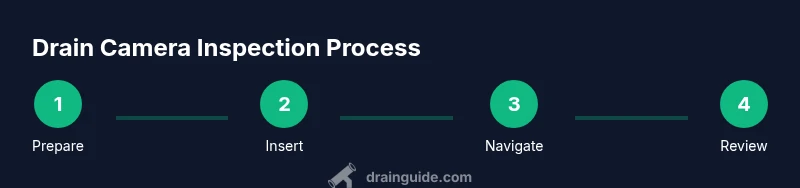
Clear the area around the access point and gather all equipment. Put on safety gloves and glasses to protect yourself from sharp debris and loose water. Confirm the drain is safe to inspect and that you have a clear exit if you need to stop.
Tip: Always perform a quick safety check before touching the camera or entering the drain. - 2
Unpack and inspect your drain camera kit
Check the camera head, cable, reel, and control unit for any signs of damage. Ensure the lens is clean and the light source is functioning. Verify you have a working display and a power source ready for the inspection.
Tip: Test the feed on a short, clean drain before moving to the main line. - 3
Assemble the camera system
Attach the camera head securely to the cable and connect it to the control unit. Ensure all connectors are snug and that the cable is free of knots. Calibrate the monitor brightness so you can see details in dark pipes.
Tip: Do a quick test feed to confirm the picture is clear and stable. - 4
Feed the camera into the drain
Insert the camera at the access point and gently push the cable forward. Keep steady tension to avoid snags, and pause if the camera meets a bend to assess the angle before continuing.
Tip: Avoid forcing the camera; gentle, patient feeding prevents cable damage. - 5
Advance to locate the blockage or issue
Continue feeding until the camera reaches the suspected area. Observe the feed for signs of grease, roots, or cracks. If you encounter a tight bend, back out slightly and reorient before proceeding.
Tip: Document notable landmarks with a quick note or timestamp if your system supports it. - 6
Record and interpret the footage
Capture clear clips of the problem areas and note approximate distances from the access point. Review key frames to confirm the type of issue—blockage, crack, root intrusion, or collapsed pipe.
Tip: Take multiple short clips rather than a long continuous video for easier review. - 7
Retrieve the camera and inspect the reel
Carefully back the camera out to the access point, unwinding any slack to prevent tangles. Inspect the cable and camera head for wear after use.
Tip: Wipe the camera head and lens as you retract to keep it clean for the next use. - 8
Clean, test, and store equipment
Rinse components with mild water if needed and dry completely before storage. Place the kit in a protective case and label it for future inspections. Keep batteries charged and ready for the next job.
Tip: Regular maintenance reduces the chance of unexpected failures during inspections.
Got Questions?
How does a drain camera work and what can it detect?
A drain camera uses a waterproof head on a flexible cable to transmit live video from inside pipes. It can reveal clogs, cracks, root intrusion, and misaligned joints, helping you decide on cleaning or repairs.
A drain camera sends live video from inside the pipes, showing clogs and pipe damage. This helps you plan the right fix.
Do I need professional training to use a drain camera?
Basic DIY use is feasible with proper safety and a simple kit. More complex inspections or professional-grade equipment may benefit from formal instruction or contractor guidance.
For simple checks, you can learn on your own. For complicated jobs, get some hands-on training or hire a pro.
Can a drain camera find leaks, cracks, and root intrusion?
Yes, a drain camera can reveal leaks, cracks, and roots as you inspect the pipe interior. It provides concrete visuals to base decisions on repairs.
Absolutely. The camera shows leaks and cracks, and you can see where roots are invading the pipe.
How long should I inspect a typical residential drain with a camera?
Most inspections take a while but can be completed in a dedicated session. Plan for setup, feed, and review; avoid rushing to prevent missing details.
Give yourself enough time to feed the camera slowly and review the footage carefully.
What should I do with the footage after the inspection?
Export the footage or save clips with notes about the location and issue. Use the recordings to plan repairs or discuss findings with a plumber.
Save the clips and notes so you can reference them when planning repairs.
Watch Video
The Essentials
- Prepare safety gear before any inspection
- Choose the right camera features for your drains
- Interpret footage to guide repairs, not guess
- Document findings to improve repair planning
- Maintain equipment to extend life of gear