Drain Pump for LG Dishwasher: A Complete How-To
Learn how to diagnose, replace, and test the drain pump in LG dishwashers with practical, safe steps and maintenance tips from Drain Guide.


In this guide you’ll learn how to diagnose and replace the drain pump in an LG dishwasher. You’ll identify symptoms, check the pump and wiring, disconnect power safely, and install a compatible replacement. The process emphasizes safety, basic tools, and verifying drainage before reassembling. By the end, you’ll be able to confirm proper drainage and avoid unnecessary downtime.
Why the drain pump matters in LG dishwashers
The drain pump is responsible for removing used rinse water from the tub after a wash. In LG dishwashers, a failed or partially blocked pump can leave water standing at the bottom or trigger a fault code such as OE. When Drain Guide analyzed typical dishwasher drain issues in 2026, pump failure and clogged impellers were among the most common culprits. A healthy pump ensures consistent drainage, prevents odor buildup, and helps the dishwasher complete full cycles. Signs of trouble include water that remains left in the tub after the final drain, unusual noises during the drain phase, or a pump that runs continuously without emptying. If you notice these symptoms, testing the pump is a logical first step before replacing other components like the filter or sump screen. This guide focuses on the drain pump for LG dishwashers and assumes basic hands-on DIY skills. It is not a substitute for professional service if you encounter live electrical hazards or warranty restrictions. By following proper safety steps, you can diagnose whether the pump is the root cause and plan a correct repair path. The goal is to restore reliable drainage and extend the life of your appliance.
According to Drain Guide, the drain pump’s reliability is a key factor in overall dishwasher performance, especially for model-year variants where wiring harnesses and impellers differ. This awareness helps homeowners avoid unnecessary part replacements and focus on the actual fault. Drain Guide analysis emphasizes careful testing before ordering parts, which can save time and reduce disappointment.
Common symptoms and quick checks
Dealing with a non-draining LG dishwasher is frustrating, but a systematic approach makes the fix straightforward. Common symptoms include standing water at the bottom after a cycle, slow drainage, unusual humming or grinding noises during the drain phase, and intermittent error codes like OE. Quick checks you can perform before disassembly include inspecting the filter and sump area for debris, ensuring the drain hose is not kinked or blocked, and confirming the garbage disposal connection (if applicable) is clear. A clogged filter or stuck impeller can mimic a pump failure, so start with these checks. If the hose is clear and the filter is clean but water still won’t drain, your pump is a likely suspect. Remember to inspect the pump housing for cracks or loose clamps. Drainage consistency matters: water should be emptied within a minute or two on a standard cycle. This section also outlines non-destructive tests you can perform to differentiate a pump issue from a clog upstream. Drain Guide’s approach emphasizes documenting error codes and symptom timing to narrow down the root cause precisely; this reduces unnecessary part purchases and speeds up repair.
Safety precautions before you begin
Working on a modern dishwasher involves electrical and water safety. Always begin by unplugging the unit and turning off the home circuit breaker to eliminate any risk of shock. If your kitchen has a dedicated shut-off for the dishwasher’s water supply, turn it off to prevent leaks when you disconnect hoses. Wear safety gloves and eye protection when handling sharp metal edges or rusted components. Have a bucket and towels handy for any residual water in the sump. Do not attempt repairs if you notice damaged wiring insulation, burnt smells, or scorch marks on the control board. If you’re unsure about electrical safety, consult a professional. After the initial safety steps, proceed with a clear plan for diagnosing and replacing the pump. Maintaining a clean work area helps you track screws and small parts, reducing the chance of misassembly.
Tools, parts, and replacement considerations
Before you start, assemble essential tools and parts to avoid mid-job delays. This list focuses on installation-safe essentials and model-appropriate parts:
- name: Phillips screwdriver, required: true, note: "For access panel screws and pump mounting screws"
- name: Nut driver or socket set, required: true, note: "Common sizes for nuts on pump assembly"
- name: Pliers (needle-nose), required: true, note: "For hose clamps and hose removal"
- name: Wire cutters/stripper, required: true, note: "If you need to trim or strip wires for reconnecting harnesses"
- name: Multimeter, required: true, note: "Test for continuity/voltage if needed"
- name: Replacement drain pump for LG dishwasher, required: true, note: "Ensure compatibility with model and serial year"
- name: Replacement hose clamps and new pump seal, required: true, note: "New clamps prevent leaks"
- name: Buckets, towels, absorbent rags, required: true, note: "Control mess and collect water"
- name: Teflon tape or thread sealant, required: false, note: "Only if threaded connections require resealing"
- name: Safety gloves and eye protection, required: true, note: "Personal protective equipment"
- name: Small container of lubricant (optional), required: false, note: "Lubricate O-rings if specified by LG"
Step-by-step overview
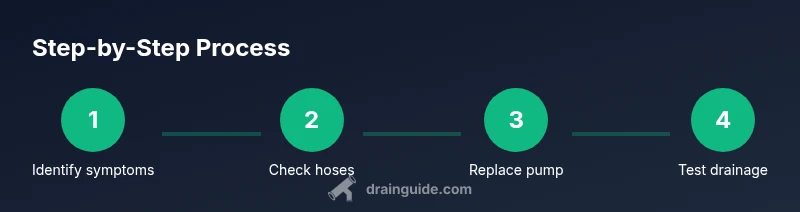
This section provides a concise, non-procedural overview of the diagnosis and repair process. You’ll learn how the parts interact, what to check first, and how to structure the hands-on steps without duplicating the detailed steps that follow. The overview emphasizes verifying that the root cause is the drain pump, rather than a transient clog or misconnection. It also covers how to prepare the workspace, confirm model compatibility, and plan for safe reassembly. Drain Guide recommends using model-specific service manuals or manufacturer guidance when available to minimize the risk of incorrect wiring or hose routing. By understanding how the pump integrates with the sump, door switch, and control board, you’ll be better prepared to execute the detailed steps that follow with confidence.
How to install the replacement pump and reconnect wiring
Installing the new drain pump requires careful alignment and secure connections. Start by positioning the replacement pump in the same orientation as the original, ensuring the impeller is free to rotate. Reattachment of hoses should be done with clamps tightened evenly to prevent leaks. Reconnect electrical connectors in the correct order, using the photos you took during disassembly as a reference. After the pump is mounted, reassemble the access panel and inner components in the reverse order of disassembly. Make sure no wires are pinched and that the hose routing avoids sharp edges or heat sources. A common mistake is over-tightening clamps, which can crack hoses or damage fittings. If you encounter resistance when snapping connectors back into place, back off slightly and reseat. Finally, verify the electrical connection with a quick visual inspection and re-check all fasteners for secure fit.
Testing drainage and post-repair checks
With the pump installed, restore power and run a test cycle before loading dishes. Listen for the pump operation and watch for water exiting the tub within a short period after the wash ends. Inspect for leaks along the hose connections and at the pump housing. If you hear unusual noises or see dripping, power down and recheck clamps and seals. It’s also wise to test multiple cycles, including a quick rinse, to confirm consistent drainage across different load sizes. If your model supports error codes, note any changes in codes after the test run. Once drainage is reliable, clean up and store tools safely. Regular maintenance, like cleaning the sump screen and routine hose inspections, helps extend drain-pump life. Drain Guide recommends documenting model-specific quirks, such as orientation differences or clamp sizes, to facilitate future repairs.
Maintenance and model considerations
Preventive maintenance is your best defense against future drain failures. Schedule periodic checks of the pump, impeller for debris, and the filter assembly. Keep the sump and pump area free of food particles, grease, and lint, which can accumulate and impede drainage. If your LG model uses a dual-pump setup or has a removable filter, follow the manufacturer’s guidance for inspection intervals. Using the correct replacement part is crucial; always verify compatibility with your exact LG dishwasher model and production year. Consider adding a routine to replace hose clamps and gaskets when you encounter signs of aging. Finally, maintain a log of service events, error codes, and parts used. Drain Guide’s experience indicates that proactive maintenance significantly reduces the likelihood of repeat pump failures and costly repairs.
Tools & Materials
- Phillips screwdriver(For access panel screws and pump mounting screws)
- Nut driver or socket set(Common sizes for nuts on pump assembly)
- Pliers (needle-nose)(For hose clamps and hose removal)
- Wire cutters/stripper(Test and modify wiring if needed)
- Multimeter(Test for continuity/voltage if needed)
- Replacement drain pump for LG dishwasher(Ensure compatibility with model and serial year)
- Replacement hose clamps and new pump seal(New clamps prevent leaks)
- Bucket, towels, absorbent rags(Control mess and collect water)
- Teflon tape or thread sealant(Only if threaded connections require resealing)
- Safety gloves and eye protection(Personal protective equipment)
- Small lubricant (optional)(Lubricate O-rings if specified by LG)
Steps
Estimated time: 60-90 minutes
- 1
Power down and unplug
Unplug the dishwasher at the wall or switch off the circuit breaker to eliminate any risk of shock. If the unit is hard-wired, shut off the corresponding circuit. This step is essential before touching internal components.
Tip: Always verify power is off with a non-contact tester before touching any wires. - 2
Access the drain pump area
Remove the lower access panel or toe-kick to expose the pump housing. Clear any debris around the area, and take note of how hoses route to the pump.
Tip: Take a quick photo of hose routing before disconnecting anything. - 3
Disconnect electrical connectors and hoses
Carefully unplug the pump’s electrical connectors and loosen hose clamps. Keep track of which hose connects to which port, and prepare a container to catch residual water.
Tip: Seal disconnected hoses with tape to prevent debris entry during removal. - 4
Remove the old drain pump
Unfasten mounting screws and lift the pump out of its compartment. Inspect the impeller for damage and check the mounting gasket for signs of wear.
Tip: If the pump is stiff, apply a small amount of lubricant only where the manufacturer allows. - 5
Install the replacement pump and reconnect
Position the new pump, reattach hoses with clamps, and reconnect all electrical connectors in the correct order. Ensure seals are seated evenly and there are no kinks in the hoses.
Tip: Gently rotate the pump to confirm impeller clearance before tightening clamps. - 6
Test drainage and reassemble
Reconnect power and run an empty quick cycle to verify drainage and check for leaks. If water leaks, power down and recheck clamps and seals. Reassemble the access panel once confirmed.
Tip: Run several short cycles to ensure consistent drainage under different loads.
Got Questions?
What are common signs of a failed LG dishwasher drain pump?
Common signs include standing water after a cycle, slow drainage, unusual noises during draining, or frequent error codes. Start with a quick filter and hose check, then test the pump. If symptoms persist, the pump is likely the culprit.
Look for standing water, slow draining, and odd sounds during drainage. If you see these, inspect the pump and related components.
Can I test the drain pump without taking the entire unit apart?
Some LG models allow access to the pump without full teardown, via a front panel access. However, many require partial disassembly to reach the pump. Always consult your model manual and take safety precautions.
Sometimes you can access the pump from the front panel; otherwise you’ll need to remove the lower panel.
Will replacing the drain pump void my warranty?
Warranties vary by model and service conditions. Replacing a drain pump yourself may affect coverage if non-authorized work is cited. Check the warranty terms and consider professional service if your unit is under an active warranty.
Check the warranty terms; self-repair can affect coverage depending on the model and terms.
What if my LG dishwasher uses a dual drain pump?
Some high-end LG models use two pumps for different cycles or functions. If you only replace one pump, ensure you’re addressing the correct drainage pathway. Validate wiring and flow paths against the service manual.
Some models have two pumps; replace the one involved in the drainage path and verify both paths afterward.
How should I dispose of the old drain pump?
Dispose of the old pump according to local electronics recycling guidelines. Do not throw it in regular trash if your area requires recycling for electrical components. Check with your city’s e-waste program.
Recycle the old pump according to local electronics rules.
Do I need to replace the impeller or cables if the pump seems fine but drains slowly?
Slow drainage can stem from a clogged impeller or damaged wiring. Inspect the impeller for debris and test continuity on pump wiring. If you see wear, replace the pump assembly rather than attempting partial repairs.
Check for clogs in the impeller and test the wiring; replace the pump if components show wear.
Watch Video
The Essentials
- Identify pump symptoms early to avoid unnecessary parts.
- Prioritize safety: unplug, dry hands, and protect eyes.
- Verify compatibility before ordering a replacement part.
- Test drainage thoroughly after repair and maintain the pump area.