Drain Pump LG Troubleshooting and Replacement Guide
Diagnose, test, and replace the drain pump LG in your washer with safe, practical steps. Explore troubleshooting, common fixes, and maintenance to keep your machine draining smoothly in 2026.


According to Drain Guide, a non-draining LG washer typically signals a clogged or failing drain pump. This quick answer outlines the essential steps to diagnose, prepare, and begin a repair, with safety-first cautions and common fixes you can perform before calling a pro. You will learn how to test the pump, clear clogs, and decide if a replacement is needed.
What the drain pump LG does and why it's critical
The drain pump in an LG washer is the component that moves used water from the tub to the household drain during the spin and drain cycles. It works with internal hoses, the impeller, and the control board to ensure a complete rinse without standing water. A healthy drain pump prevents mold growth, odors, and cycle errors that frustrate users. In many LG models, the pump is designed to minimize noise and vibration; when it fails, the washer can stop mid-cycle, display an error code, or fail to spin properly. Regular basic maintenance, such as clearing accessible debris from the pump inlet, helps extend life. However, not all jams are obvious, and many issues stem from blockages in hoses or worn impellers. In this guide we discuss how to identify a drain-pump-related symptom, differentiate it from other drainage faults, and approach safe repair steps. The goal is to give homeowners confidence to diagnose safely and decide when to seek professional service.
Symptoms indicating LG drain pump problems
A washer that won’t drain usually presents a cluster of telltale signs. You might hear a grinding, buzzing, or whirring noise when the pump starts, even if water remains in the tub. Look for water pooling around the machine base or a visible leak from the pump housing. Error codes on the display—such as codes indicating drainage problems—are common prompts to inspect the pump and its hoses. If the inlet screen is clogged with lint or small objects, the pump may struggle to evacuate water. Finally, if the impedance of the impeller is reduced due to corrosion or wear, the pump can lose efficiency, leading to incomplete draining or longer cycle times. Recognizing these cues early helps you decide whether to attempt a DIY fix or call for professional service.
Safety and preparation before inspection
Before touching any moving parts, unplug the washer and shut off the water supply to minimize any risk of shock or flooding. Gather a clean towel, a shallow tray or bucket, and a container to collect any residual water. Ensure you have adequate lighting and a stable work surface. If you’re not comfortable handling electrical testing, plan to perform only non-electrical steps and consult a professional. Charge for a replacement pump and any needed hoses ahead of time to avoid delays. Always work with dry hands and wear gloves when handling metal edges or sharp clamps.
Troubleshooting approach: test sequence
Start with the simplest checks to avoid unnecessary disassembly. Remove the outer access panel and inspect the pump inlet screen for lint, hair, and debris. Clean the screen gently and reseat the hose clamps firmly. Trace the drain hose for kinks or sharp bends that impede flow. If you have a multimeter and basic electrical knowledge, disconnect power and test the pump terminals for continuity; consult your model’s service manual for the correct resistance range. If continuity is absent, the motor is likely defective and needs replacement. If continuity is present, inspect the impeller and pump housing for wear, cracks, or blockages.
Step-by-step diagnostic flow when the pump malfunctions
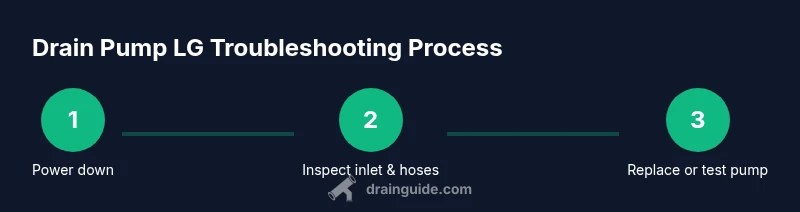
If the pump appears suspect, document every symptom before removing components. Step through the diagnostic flow: (1) unplug and drain residual water; (2) remove the pump access panel; (3) inspect and clean the inlet screen; (4) detach hoses and visually inspect for cracks; (5) test continuity if trained to do so; (6) inspect the impeller for damage or obstruction; (7) decide between cleaning, reseating, or replacing the pump; (8) reassemble and run a test cycle.
When performing a replacement, ensure the new unit matches the LG model’s electrical and hose connections. Keep screws organized and use the original mounting points to avoid leaks or vibration. After reassembly, run a short test cycle with no heavy load to verify proper drainage and check for leaks around all clamps and seals.
Common fixes you can perform at home safely
Many pump-related drainage issues resolve with simple actions. Start by cleaning the inlet screen and nearby hoses for lint and debris. Re-seat loose electrical connectors and clamps to restore proper power and water flow. If the impeller is free of obstruction but the motor feels loose or noisy, the pump housing may have developed hairline cracks or worn bearings—replace rather than attempt to repair. Confirm that the drain hose is not kinked and that the pump’s mounting bolts are snug but not overtightened. When reassembling, use a little silicone lubricant at rubber seals if recommended by the model manual.
How to replace or upgrade the drain pump LG
Replacing the drain pump LG requires matching the pump to your exact washer model. If you’re comfortable with appliance repair, disconnect power, drain remaining water, remove the pump, detach hoses, and install the new unit, ensuring all seals and gaskets are intact. Reconnect hoses securely and tighten clamps evenly to prevent leaks. If you’re unsure about electrical safety or model compatibility, contact a professional. After installation, run a full cycle with a small load and observe for leaks, unusual noises, or error codes.
Maintenance tips to extend pump life and prevent clogs
To extend the life of the drain pump LG, clean the inlet screen monthly and inspect hoses for wear or cracks. Use a mesh lint filter on the washer’s inlet to minimize debris, and avoid flushing non-wash items down the drain. Consider scheduling a monthly quick check of the pump area, especially if you notice slower drainage or odor issues. If you observe persistent clogs, schedule a professional service to prevent damage to the motor or wiring.
Tools & Materials
- Flat-head screwdriver(For panel screws and clamps)
- Phillips screwdriver #2(For mounting screws and covers)
- Nut driver or adjustable wrench(For hose fittings and clamps)
- Multimeter (digital)(For continuity testing)
- Pliers (slip-joint)(Grip hoses and clamps)
- Torx driver (if applicable)(Some models use Torx screws)
- Buckets/towels(Catch residual water)
- Replacement drain pump LG compatible(Check model compatibility before purchase)
- Gloves(Protect hands during disassembly)
- Silicone sealant (if required)(Only if seals require reapplication)
Steps
Estimated time: 60-120 minutes
- 1
Power down and access the pump
Unplug the washer from the wall outlet and shut off the water supply. Remove the access panel to reveal the drain pump and surrounding hoses. This step prevents shocks and flooding as you begin inspection.
Tip: Take a photo of wire connections before disconnecting. - 2
Disconnect power and drain lines
Carefully detach electrical connectors and loosen hose clamps. Have a towel ready to catch any remaining water in the hoses. Label wires if needed to simplify reassembly.
Tip: Work with dry hands and keep screws organized. - 3
Remove the pump assembly
Loosen mounting bolts and detach the pump from the chassis. Keep all screws in a tray to avoid losing them. Gently pull the unit away from the housing while supporting connected hoses.
Tip: Do not force connectors; if resistive, recheck clamps. - 4
Inspect the inlet screen and hoses
Check the screen for lint and debris; clean it under running water. Inspect hoses for cracks, bulges, or kinks, and replace any damaged sections. Ensure hose ends are clean before reconnecting.
Tip: Use a flashlight to spot hair and debris. - 5
Test pump continuity (if qualified)
With power removed, use a multimeter to test the pump terminals for continuity within the model’s specified range. If there is no continuity, the motor is likely defective and requires replacement.
Tip: Only perform electrical tests if you’re comfortable and confident. - 6
Assess impeller and housing for damage
Look for worn impellers, cracks in the housing, or signs of corrosion. Replace the pump if the impeller is stuck or the housing has visible damage. After any repair, ensure all fasteners are secure and clamps are tight.
Tip: Do not reuse a cracked housing; leaks will reoccur. - 7
Install replacement or reassemble
Mount the new pump or reassemble the old one if it’s repairable. Reconnect hoses, secure clamps, and reattach the electrical connectors in the correct order. Lower the unit into place and tighten all mounting bolts evenly.
Tip: Torque screws evenly to avoid misalignment. - 8
Run a test cycle and verify operation
Plug in the washer, restore water, and run a short test cycle with a minimal load. Look for leaks and listen for abnormal noises. Confirm the washer drains completely and the cycle completes normally.
Tip: Check for leaks around clamps after the test cycle.
Got Questions?
What are the most common signs that an LG drain pump is failing?
Common indicators include a washer that won’t drain, unusual grinding or buzzing noises near the pump, water pooling around the base, and error codes related to drainage. Inspecting the pump, inlet screen, and hoses helps determine whether the issue is the pump itself or a related component.
If your LG washer won’t drain and you hear odd noises, inspect the pump and hoses. Look for clogs and leaks, and check error codes for drainage issues.
Can clogged hoses mimic pump problems in LG washers?
Yes. A clogged drain hose or blocked inlet screen can prevent water from leaving the tub even if the pump is healthy. Always start with cleaning screens and hoses before testing the pump motor.
Clogs in hoses or screens can mimic pump failure. Clean screens and check hoses first.
Is it safe to test the pump with a multimeter?
Electrical testing should only be performed if you have training. Use the multimeter to check continuity according to the service manual. If unsure, skip electrical tests and focus on mechanical inspection or replacing the pump.
Only test continuity if you’re confident with electrical work; otherwise seek professional help.
Should I attempt a DIY replacement or call a pro for an LG drain pump?
If you’re comfortable with appliance repair and model compatibility is clear, you can replace the pump yourself. Otherwise, hiring a professional ensures correct fit, wiring, and seals, reducing the risk of leaks or electrical hazards.
DIY can be fine if you’re comfortable and the model is clear; otherwise, a pro is safer.
Will replacing the pump fix leaks around the pump area?
Replacing a faulty pump or a worn seal typically resolves leaks that originate at the pump. If leaks persist after replacement, check hose connections and clamps, and inspect the mounting surface for damage.
A failed pump replacement often fixes leaks; ensure all seals and hoses are intact afterward.
How long should an LG drain pump last under normal use?
Drain pumps vary by model and usage. Regular maintenance and avoiding clogs extend life, but expectancy depends on thousands of cycles and water quality.
Life varies by usage, but good maintenance helps pumps last longer.
Watch Video
The Essentials
- Identify pump issues early with tests
- Always disconnect power before touching the washer
- Clear inlet screens to prevent clogs
- Test the pump after reassembly to confirm operation
- Practice regular maintenance to extend pump life