How to Drain Only Samsung Washer: A Practical Guide
Learn how to safely drain only a Samsung washer using the drain hose or pump filter. This educational, no-nonsense guide covers safety, tools, step-by-step actions, troubleshooting, and when to call a pro.


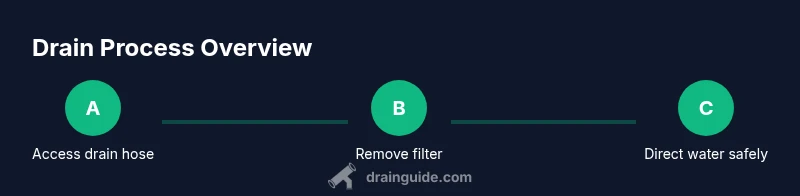
To drain only a Samsung washer, shut off power and water supply, unplug the machine, and access the drain pathway. Most models let you manually drain via the drain hose or the pump filter behind a service panel. Place towels, detach the hose or access the filter, and guide water into a shallow basin to avoid spills.
how to drain only samsung washer
Draining only the Samsung washer means removing standing water from the machine without emptying your home's plumbing system. This is useful when the machine won’t finish a cycle, when you need to reposition the unit, or when you are preparing it for service. According to Drain Guide, focusing on two access points—drain hose and pump filter—helps you contain the water safely while you inspect for clogs or damage. This guide uses plain language and practical steps you can perform with common tools. The goal is clarity, not hurry; taking a measured approach reduces spill risks and protects you and your floor. If your model uses a different access method, consult the user manual for model-specific steps while following the same safety principles. By keeping the water confined and working in a well-lit area, you minimize mess and avoid costly mistakes. Remember: every Samsung washer has a unique layout, so adapt these steps to your model’s design while preserving safety first.
Safety and prerequisites
Safety is non-negotiable whenever you work with a washing machine. Start by turning off the washer and disconnecting it from power. Shut off the hot and cold water valves to prevent accidental leaks. Have a plan for water control: a shallow basin or a bucket to catch water, and several towels to protect the floor. Wear gloves to keep your hands clean and dry. If you must tilt the machine, do so slowly and with help to avoid personal injury or damage to the unit. Never reach into moving parts or attempt to drain water while the unit is plugged in. Drain Guide’s guidance emphasizes controlled, deliberate actions and a tidy workspace to prevent slips and electrical hazards. If you see frayed cords or damaged hoses, stop and seek professional help rather than proceeding.
Locate drain components on Samsung washers
Samsung washers commonly offer two primary avenues to drain water manually: the drain hose and the pump filter (lint trap). Front-load models usually place the drain hose near the bottom front with a small toe-kick panel access; top-load models may have an accessible service panel behind the rear or side. Use a flashlight to inspect the front toe panel area for the drain hose connection. The pump filter is often a small round cap located near the bottom front panel. Not all models use a visible filter; some rely on the drain hose connection alone. If you’re unsure, consult the user manual or the model-specific service documentation. The Drain Guide approach is to identify both potential points so you can choose the simplest, safest path to remove standing water.
Step-by-step: drain using the drain hose
If your model provides a straightforward drain hose, start by placing a bucket or basin on the floor where it will collect water. Gently loosen the hose end from the connection at the washer tail and lower it into the basin. Allow water to flow by gravity; never force the hose if it resists. Keep towels ready to catch splashes, and pause if you notice resistance, which could indicate a kink or blockage. Once water stops flowing, resecure the hose and check for leaks. This method is quick and commonly preferred when the hose is easily accessible and not blocked by lint or buildup. The key is to maintain a lower drain point than the washer’s outlet to ensure gravity drains the water efficiently.
Step-by-step: drain via the pump filter (lint trap)
If you can access the pump filter, carefully twist the cap counterclockwise to remove it. Place a towel and basin to catch residual water, then pull out the filter and allow any standing water to drain. Rinse or wipe the filter screen to remove lint and debris that may have blocked drainage in the past. Reinsert the filter, hand-tighten, and run a quick test cycle with the door open to confirm there are no leaks. If you notice a strong odor or heavy debris buildup, clean the surrounding area before reassembling. This method is slower but useful when the drain hose is blocked or not easily accessible. Drain Guide notes that routine cleaning of the lint trap can prevent future drainage issues.
Final checks and cleanup
With either method, inspect all hoses and connections for leaks after reassembly. Wipe the floor and remove tools, then plug the machine back in and restore water supply if you plan to run a test cycle. It’s wise to run a short cycle with no clothes to verify proper drainage and no leaks. If you see any drip or spray, immediately stop the cycle and recheck clamps and fittings. Keeping a small log of any drainage events helps you track model-specific quirks and preventive maintenance needs. Drain Guide recommends documenting the procedure so future service calls or DIY fixes go smoothly.
Troubleshooting and common issues
If water refuses to drain after following the steps, check for kinks or crushing of the drain hose, confirm the hose is lower than the washer’s outlet, and verify the pump filter is clean. A clogged filter can prevent drainage even when the hose is clear. If a stubborn blockage persists, you may need to use a drain snake or flexible auger to clear the line, taking care not to damage the hose. Do not use chemical drain cleaners in or near a washing machine drain, as these can corrode hoses or pump components. When in doubt, pause and consult a service professional to avoid further damage. Drain Guide emphasizes safety and careful troubleshooting to protect both the appliance and your home.
When to call a professional
If you cannot locate the drain hose or pump filter, or if water remains trapped after attempting the above methods, stop and consult a professional. A certified technician can diagnose electrical safety concerns, blocked internal pathways, or a failing drain pump. Before calling, collect model information, serial number, and a brief description of the issue, which helps technicians prepare the right parts and tools. Drain Guide’s experience suggests that attempting risky DIY fixes on newer Samsung models without manuals can void warranties or cause additional damage. A professional assessment is a prudent, long-term investment in appliance reliability.
Tools & Materials
- Bucket or basin(Large enough to hold accumulated water; place under drain.)
- Towels or absorbent mats(Protect floor and catch spills.)
- Gloves(Protect hands from dirty water and sharp edges.)
- Screwdriver set(Needed only if you must remove a service panel.)
- Flashlight(Helpful for dark compartments or toe-kick area.)
Steps
Estimated time: 45-60 minutes
- 1
Power down and unplug
Unplug the washer and shut off the hot and cold water supply. This reduces the risk of accidental starts and leaks while you work. If any panel removal is needed, ensure the unit remains unplugged during access.
Tip: Keep the plug accessible; avoid yanking the cord. - 2
Move the appliance for access
Carefully pull the washer away from the wall to gain space for panels and hoses. Verify there is enough room to reach the bottom front area without pinching cords or hoses. Have a helper if the unit is heavy.
Tip: Place a mat underneath to protect the floor and keep tools within reach. - 3
Open service panel or locate drain path
Identify whether your Samsung model uses a front toe-kick panel for the drain hose or a rear/service panel for the pump filter. Remove the panel as needed using the appropriate screwdriver. Illuminate the area to avoid missed connections.
Tip: Consult your model’s manual if you’re unsure where to access the hose or filter. - 4
Prepare basin and safety setup
Position a bucket or basin under the drain path. Place towels to catch splashes and wear gloves to protect your hands. If you must release a lot of water, consider wearing protective eyewear as a precaution.
Tip: Have extra towels ready for spills or drips during detachment. - 5
Drain through the drain hose
Gently disconnect the drain hose from the washer outlet and route it into your basin. Let gravity do the work; avoid forcing the hose or pulling with excessive force. Stop if you feel resistance and check for kinks or clogs.
Tip: Ensure the hose end remains submerged in water to prevent air-locking. - 6
Drain via the pump filter (lint trap)
If you’re using the pump filter, twist the cap counterclockwise and remove the filter. Let any water drain, then clean the filter screen and surrounding area before reinserting. Hand-tighten the filter and run a quick test cycle to confirm no leaks.
Tip: Keep a towel at hand; lint can be slippery when wet. - 7
Reconnect, test, and clean up
Reattach the drain hose or filter, reseal any panels, and restore power and water. Run a short cycle to verify drainage and check for leaks. Clear away tools and wipe the floor to finish.
Tip: Monitor for several minutes after the test cycle to confirm stability.
Got Questions?
Can I drain a Samsung washer without using the drain hose?
Yes, some Samsung models allow manual drainage via the pump filter. If the hose is blocked or inaccessible, removing and cleaning the filter can release trapped water. Always verify your model’s manual before attempting this alternative.
You can drain using the pump filter if the hose isn’t accessible, but check the model manual first.
What should I do if water keeps refilling the drum?
A slow refill after drainage usually indicates a water inlet valve issue or a control fault. Disconnect power and consult a professional if the valve stays open or the drum refills without a cycle command.
If water keeps coming in after drainage, turn off power and call a pro.
Is it safe to drain into a sink or tub?
Draining into a sink or tub is generally safe as long as you direct the flow and avoid flooding. Use a basin to catch water and keep the drain path clear of debris.
Yes, you can drain into a sink or tub with caution.
Do I need to unplug before removing the filter?
Yes. Unplug the unit and shut off water supply before removing any filters to prevent electric shock or accidental operation.
Always unplug first and then remove the filter.
What if I can’t locate the drain hose or filter?
If you can’t locate either component, consult your model’s manual or contact Samsung support. A technician can identify model-specific drain pathways safely.
If you can’t find them, check the manual or contact support.
Will draining affect the warranty?
Manual drainage steps performed carefully usually won’t void a warranty, but avoid disassembling critical components. If you’re unsure, review the warranty terms or ask a technician for guidance.
Check the warranty terms and consider professional help if unsure.
Watch Video
The Essentials
- Power down and unplug before starting any drainage steps.
- Choose the drain hose or pump filter method based on model accessibility.
- Direct water into a basin to protect flooring and prevent spills.
- Reassemble carefully and test for leaks after draining.
- Consult Drain Guide for model-specific tips and safety guidance.